


The Dangers of Using Public Wi-Fi to Access Private Apps
- Judith Nnakee

- 2 days ago
- 3 min read
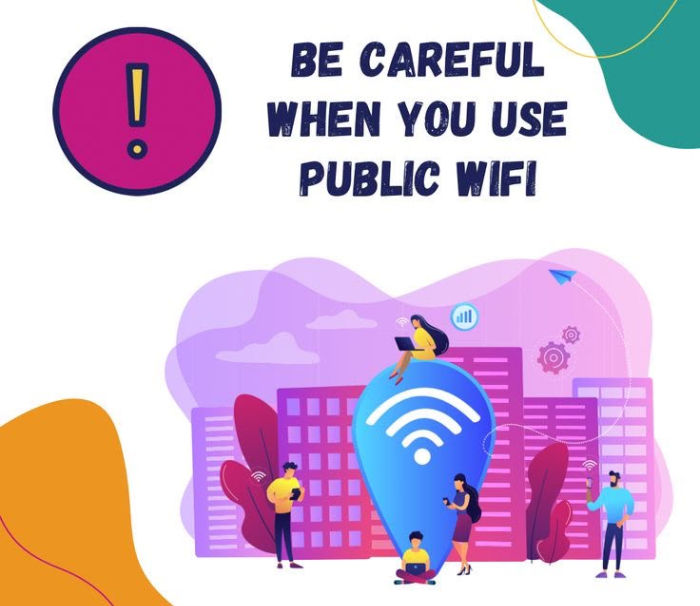
Public Wi-Fi has become a convenience many of us rely on. Whether you’re at a coffee shop, airport, hotel, shopping mall, or restaurant, free internet access makes it easy to stay connected. However, that convenience often comes with significant security risks, especially when you use public Wi-Fi to access private or sensitive apps on your device.
Why Public Wi-Fi Can Be Risky
Most public Wi-Fi networks are open, meaning they either require no password or use a shared password that many people know. Because of this, cybercriminals can exploit these networks to intercept data, monitor online activity, or trick users into connecting to fake hotspots.
Unlike your home or workplace network, public Wi-Fi is rarely configured with strong security measures, making it an attractive target for attackers.
When you log into banking apps, email accounts, business platforms, or social media over an unsecured network, attackers may be able to capture your usernames and passwords if the connection or application is not properly secured. Once compromised, these credentials can be used to access your accounts and steal sensitive information.
Private messages, financial details, medical records, work documents, and other confidential information can be vulnerable when transmitted over an unsecured public network. Even a brief session on an insecure connection can expose data that should remain private.
Cybercriminals often create fake hotspots with names that closely resemble legitimate networks, such as “Airport Free Wi-Fi” or “CoffeeShop Guest.” Unsuspecting users connect without verifying the network’s authenticity, allowing attackers to monitor their activity or redirect them to malicious websites designed to steal personal information.
Compromised public Wi-Fi networks can be used to distribute malware or exploit security vulnerabilities in devices that have not been updated. Once malware is installed, attackers may gain access to files, passwords, or even take control of the device.
Even if you do not enter your password while connected to public Wi-Fi, attackers may attempt to steal session cookies that keep you logged into websites or applications. This allows them to impersonate you and access your accounts without needing your login credentials.
Apps You Should Avoid Accessing on Public Wi-Fi
It is best to avoid accessing mobile banking applications, payment platforms, corporate email accounts, healthcare portals, government service platforms, password managers, and cloud storage containing sensitive files while connected to unsecured public Wi-Fi. If access is unavoidable, using a trusted Virtual Private Network (VPN) provides an important layer of protection.
The safest option when handling sensitive information is to use your mobile data instead of public Wi-Fi. If you must use a public network, connect through a reputable VPN to encrypt your internet traffic and make it significantly harder for attackers to intercept your data.
Before joining any public Wi-Fi network, verify the network name with the business or venue to ensure you are connecting to the legitimate service rather than a fake hotspot. It is also important to enable multi-factor authentication on your accounts, as this provides an additional layer of security even if your password is compromised.
Keeping your device’s operating system and applications updated helps protect against known security vulnerabilities that attackers commonly exploit. Additionally, disabling automatic Wi-Fi connections prevents your device from joining unknown or malicious networks without your knowledge.
Whenever possible, ensure that the websites and applications you use employ secure, encrypted connections. While encrypted connections improve security, they should not be viewed as a substitute for safe browsing practices on public Wi-Fi.
Businesses Should Also Be Concerned
Employees who access company systems through unsecured public Wi-Fi can unintentionally expose sensitive business information to cybercriminals. Organizations should establish cybersecurity policies that require the use of VPNs, implement multi-factor authentication, provide regular cybersecurity awareness training, and deploy endpoint security solutions to safeguard company data and systems.
Free public Wi-Fi offers undeniable convenience, but that convenience should never outweigh the importance of protecting your personal and professional information. Before opening your banking app, checking confidential work emails, or accessing sensitive accounts, take a moment to consider whether the network you are using can be trusted.
Simple precautions such as using mobile data, connecting through a trusted VPN, enabling multi-factor authentication, and keeping your devices updated can significantly reduce your risk of becoming a victim of cybercrime.
In today’s digital world, cybersecurity is everyone’s responsibility. By staying informed and adopting safe online habits, you can protect your identity, finances, and privacy wherever you connect.



Comments